Platform
When AI goes wrong, manage it like a professional
Track every AI incident from report to resolution, with severity classification, root cause analysis, and trend analytics — plus one-click authority reports when it's serious.
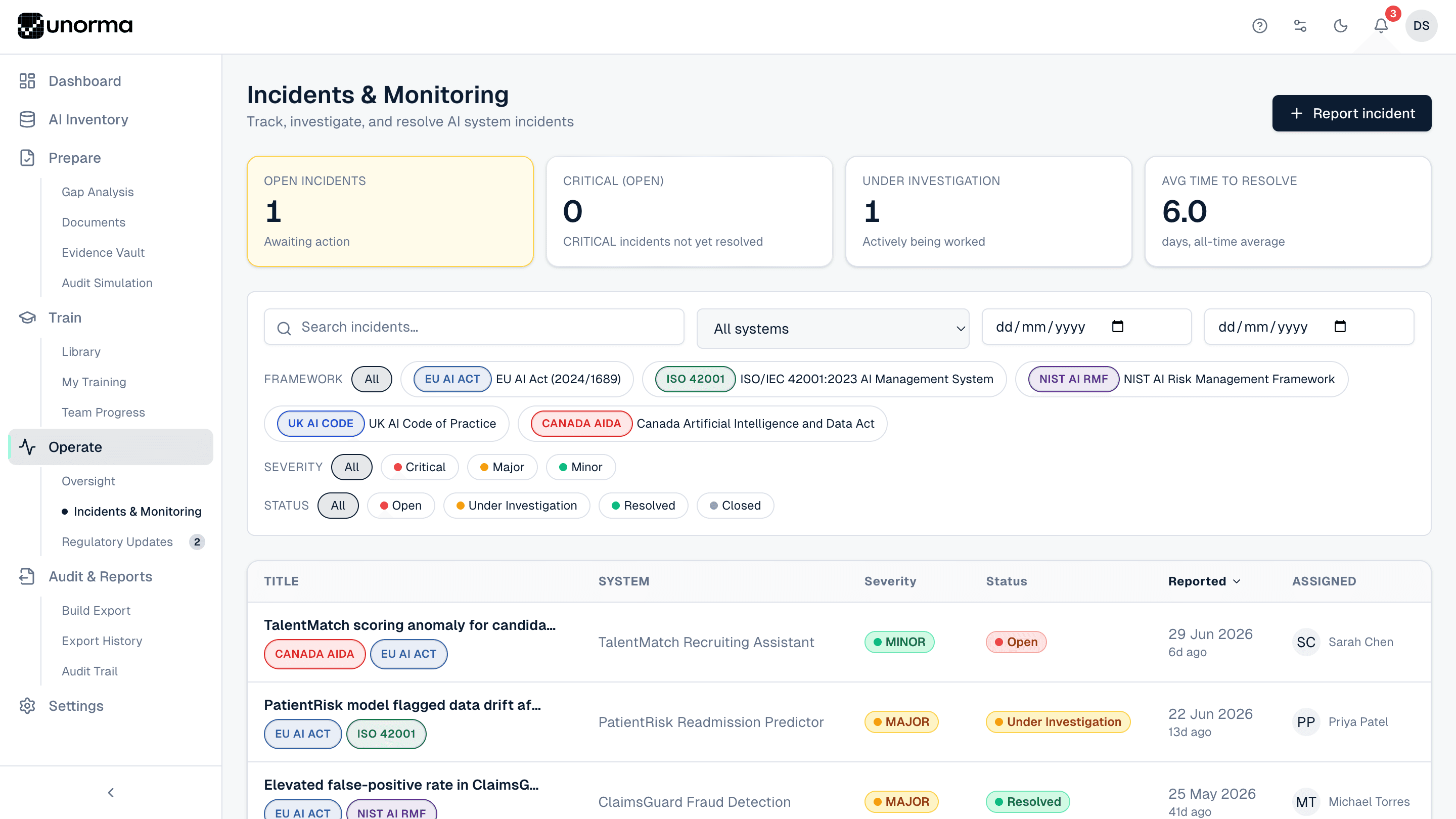
- 3
- Severity tiers — Critical, Major, Minor
- 4
- Workflow stages — Open, Investigating, Resolved, Closed
- 5
- Frameworks incidents can be filtered and tagged by
- 12
- Months of trend history charted automatically
Trends, not just tickets
See the pattern, not just the incident.
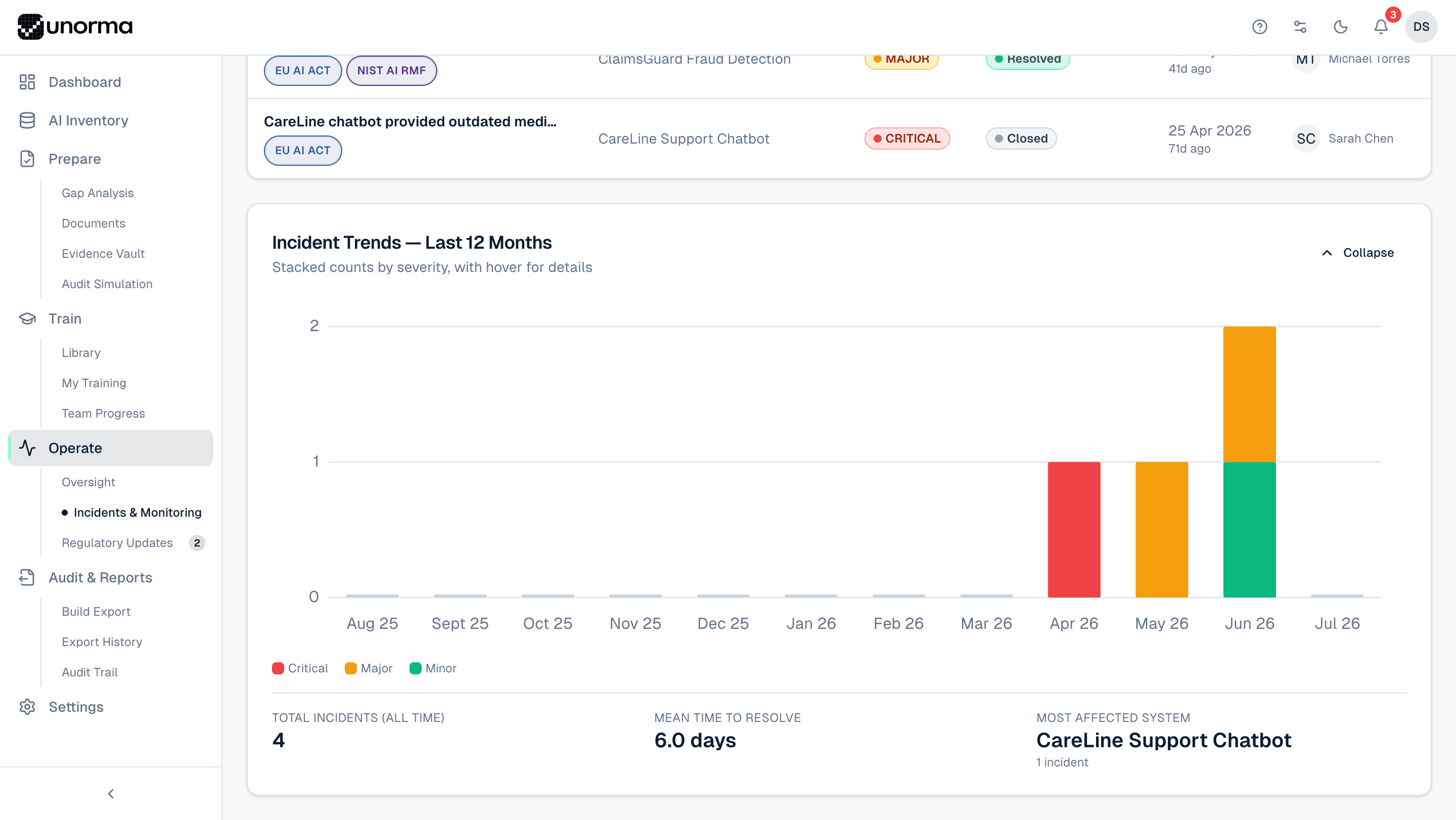
12-month trend, stacked by severity
See incident frequency over time, coloured by Critical, Major and Minor, with hover for exact counts.
Mean time to resolve
A running average across every incident, so improvement — or regression — is measurable.
Most affected system, surfaced automatically
Know which AI system is generating the most incidents without cross-referencing anything.
Every incident counted, all time
A running total that never resets, for board and audit reporting.
A real investigation record
Every incident, fully documented.
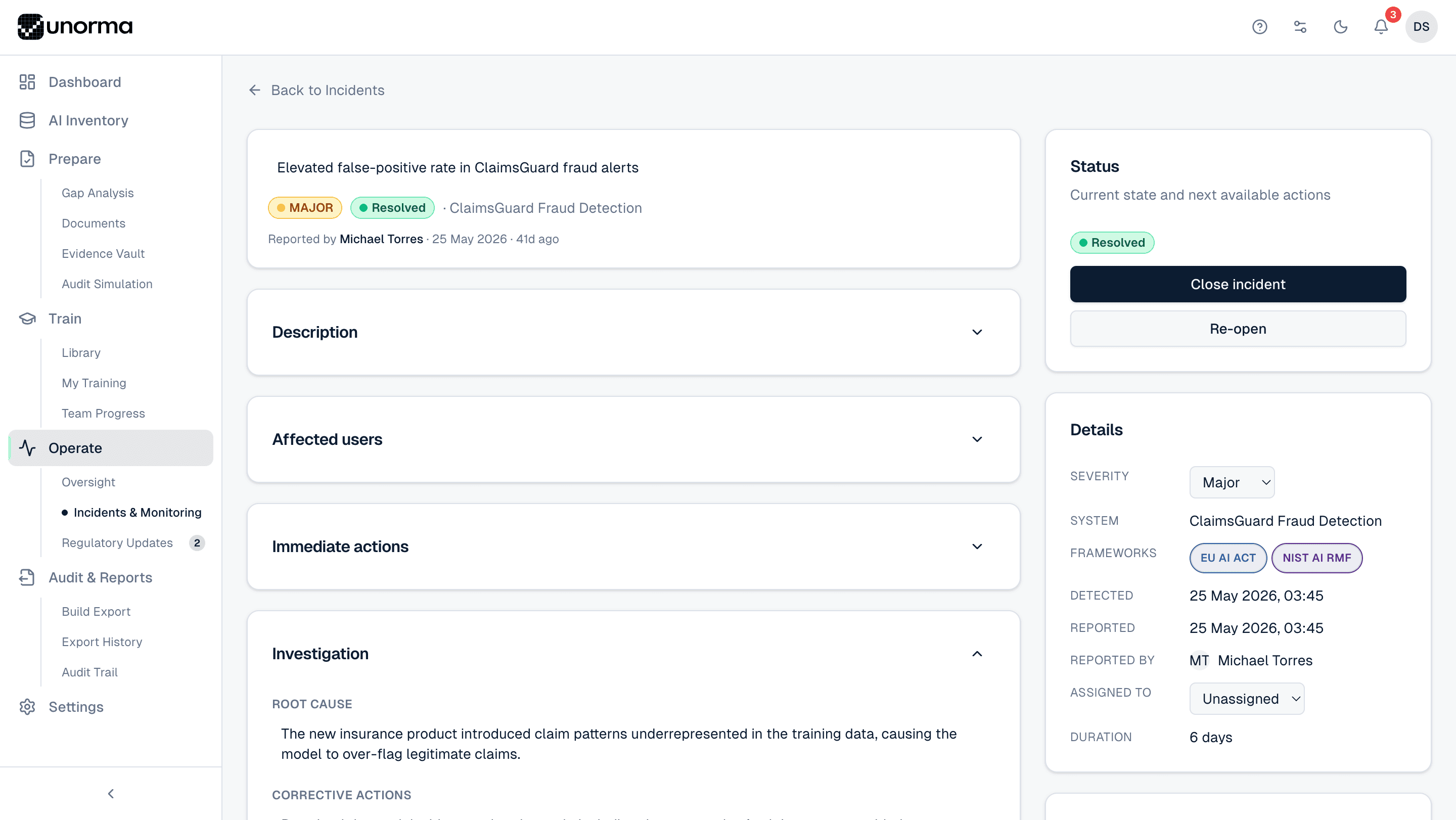
Severity classification
Critical, Major or Minor, set at report time and changeable as the picture becomes clearer.
Full lifecycle tracking
Open, Under Investigation, Resolved, Closed — with a one-click Close or Re-open.
Root cause and corrective actions
Documented in a dedicated investigation section, not buried in a comment thread.
Framework tagging
Tag every incident with the frameworks it's relevant to — EU AI Act and NIST AI RMF at once, if it applies to both.
Detected vs. reported timestamps
Both dates captured separately, plus who reported it and who it's assigned to.
Duration tracked automatically
Know exactly how long an incident has been open, without doing the maths.
Where it fits
Incidents prove your process improves.
Oversight
Trained, attentive reviewers are what catch incidents early — oversight and incidents reinforce each other.
ExploreGap Analysis
Incident response obligations, like EU AI Act Article 73, track directly against logged incidents.
ExploreAudit & Reports
Incident history and trends roll straight into your organisation-wide export package.
Explore
FAQ
Common questions.
What severities can an incident have?
Critical, Major or Minor, set when reported and adjustable as the investigation develops.
Can I generate a regulatory report from an incident?
Yes. For serious incidents, the EU AI Act's Article 73 requires notifying authorities — Unorma pre-fills that report directly from the incident record.
Are there internal-only comments?
Yes — comments can be flagged internal-only, hidden from anyone with viewer-level access.
How is mean time to resolve calculated?
The average number of days between an incident being reported and marked Resolved, across every incident for the selected system or organisation.
Set up incident tracking today.
14-day free trial · No credit card · Full access to every feature.